Use In Vehicle Test to perform battery tests on in-vehicle batteries based on test parameters entered by the user. A System Test (with the option to use an Amp Clamp) is also available.
At any time during the test, tap  to return to the previous screen; or
  to return to the Main Menu.
IMPORTANT: Always place the DSS-5000 in the plugged-in charging dock when not in use to allow the tool to automatically check for and perform any available software updates.
Battery Test
1. Connect the Tester Pod test clamps to the battery and remove the Controller.
2. On the Controller at the Main Menu tap In Vehicle Test. The Connect Clamps screen is displayed.
3. Tap Next to begin the test. If the Tester Pod clamps have already been connected to the battery terminals, the 60-second test begins automatically, applying a small load to the battery and measuring the reserve capacity.
4. Following the testing process, the Temperature screen is displayed.
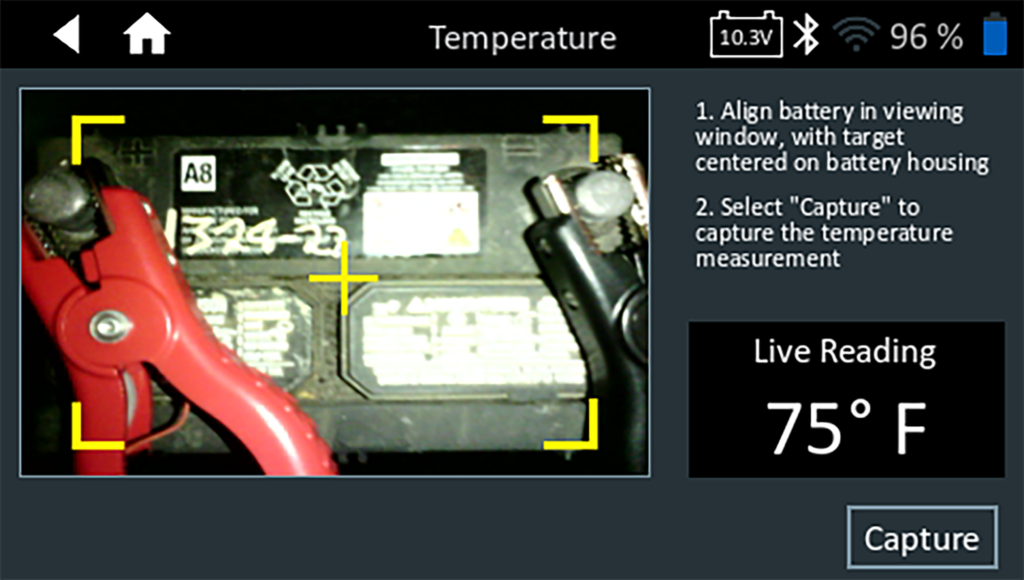
5. Align the temperature sensor on the Controller over the battery and tap Capture. The test begins when the temperature is successfully captured.
6. The Acquire VIN screen is displayed.
Use the built-in camera to scan the VIN bar code, usually located on the driver’s side door frame.
NOTE: For help with VIN scanning, refer to the VIN Scanning Tips article.
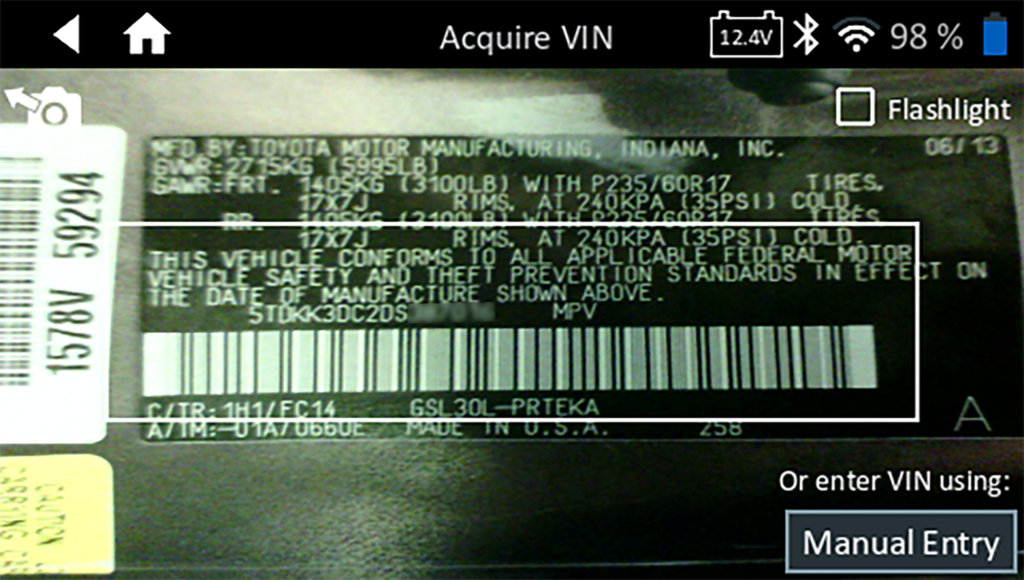
Manual Entry Option: Use the on-screen keypad to manually type the 17-digit VIN and tap Next.

The displayed Digits counter will count up the alphanumeric characters as they are being entered on the keypad.
Use Manual Entry if the battery being tested is not listed. Tap > to continue to the Edit Battery Information screen.
7. At the Edit Battery Info screen, tap on the corresponding box to edit the parameter information.

NOTE: Battery Type, Units, and Rating must be filled in before proceeding.
| Battery Application | Automotive |
| Battery Post | Top Post |
| Test Location | Top Post, Remote Post |
| Battery Type | Flooded, Absorbed Glass Mat (AGM), Spiral, Gel, EFB |
| Battery Rating Units | CCA: Cold Cranking Amps: Battery current at 0°F (-17.8°C) -- 100 to 3000 JIS: Japanese Industrial Standard: Usually printed on battery label -- 26A17 to 245H52 |
| Battery Rating | Enter the Battery Rating Units value |
8. Tap Next to begin the Battery Test.
Battery Test Results
The test results are displayed on the Controller screen.
Additional Screens
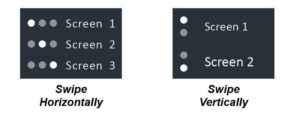
The dots at the bottom or side of a menu or results screen indicate additional screen are available. Swipe horizontally or vertically across the Controller screen to view additional results screens.

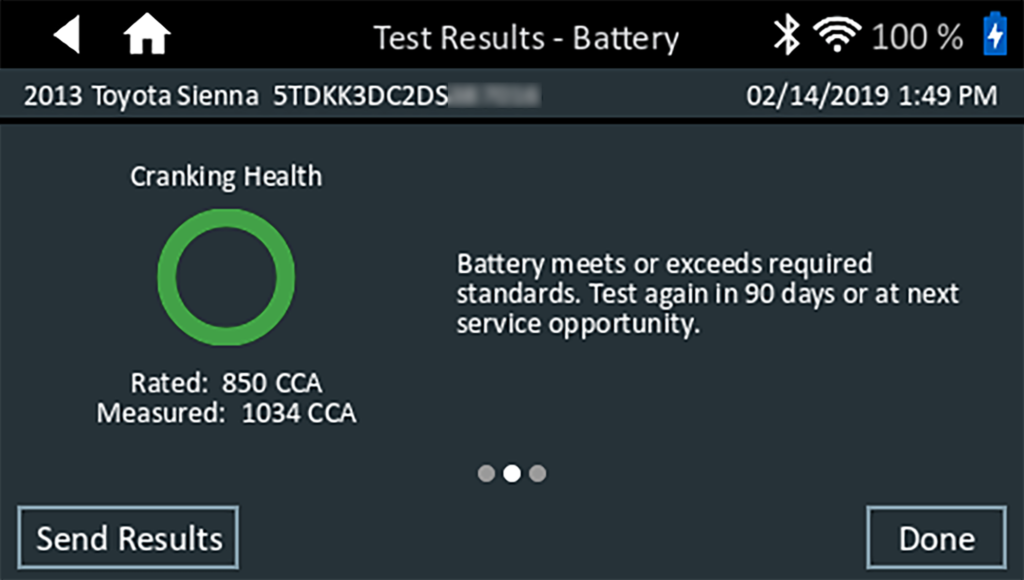
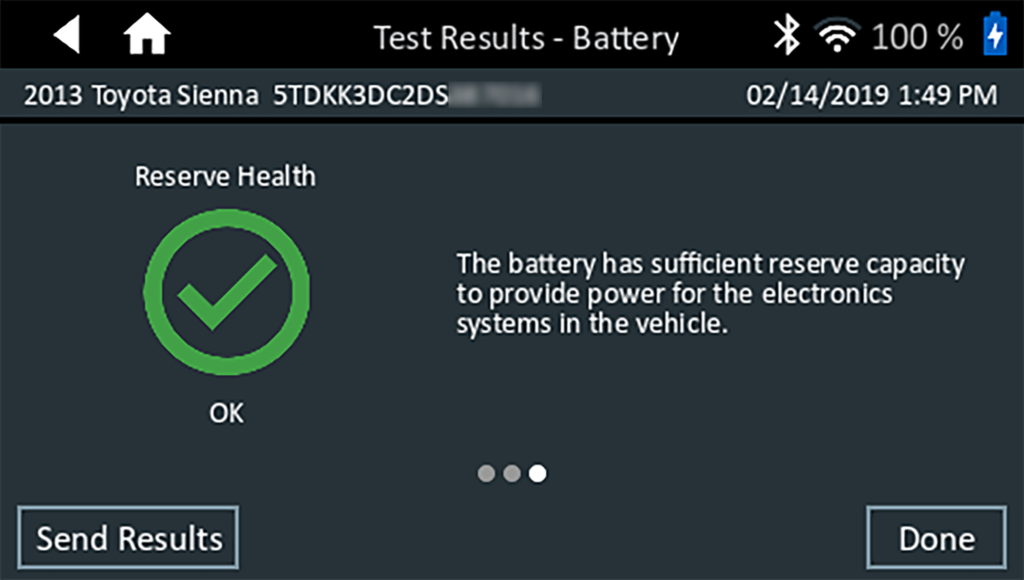
To print or send the test results to a configured printer, tap Send Results. To return to the Home Screen, tap Done or System Test to continue with the System Test.

System Test
1. If using the optional Amp Clamp, connect it to the Tester Pod and hold the clamp away from any cables with the jaws closed.
NOTE: If no Amp Clamp is being used, begin the System Test at Step 4.
2. Tap Next to zero out the clamp or Skip if the Amp Clamp is not being used.
3. With the engine and electrical loads off, place the Amp Clamp around the negative ( – ) battery cable and tap Next.
4. When prompted, start the vehicle engine and select Next.
5. Ensure all vehicle accessories, including headlights and ventilation blower are off and select Next.
The alternator output is tested at idle.
6. When prompted, rev and hold the engine to 2000 – 3000 RPM and select Next.
7. When prompted, return the engine to idle and select Next.
8. Turn on the high beam headlights and put the ventilation blower fan on ‘High’ and select Next.
The alternator output is tested at idle.
9. When prompted, rev and hold the engine to 2000 – 3000 RPM and select Next.
10. When prompted, return the engine to idle and select Next.
11. Turn all loads off and shut off the engine.
12. The test results are displayed on the Controller.
Test Results – Summary
A Test Results – Summary screen is displayed following a System Test. Tap the > to view detailed test results for each part of the test.
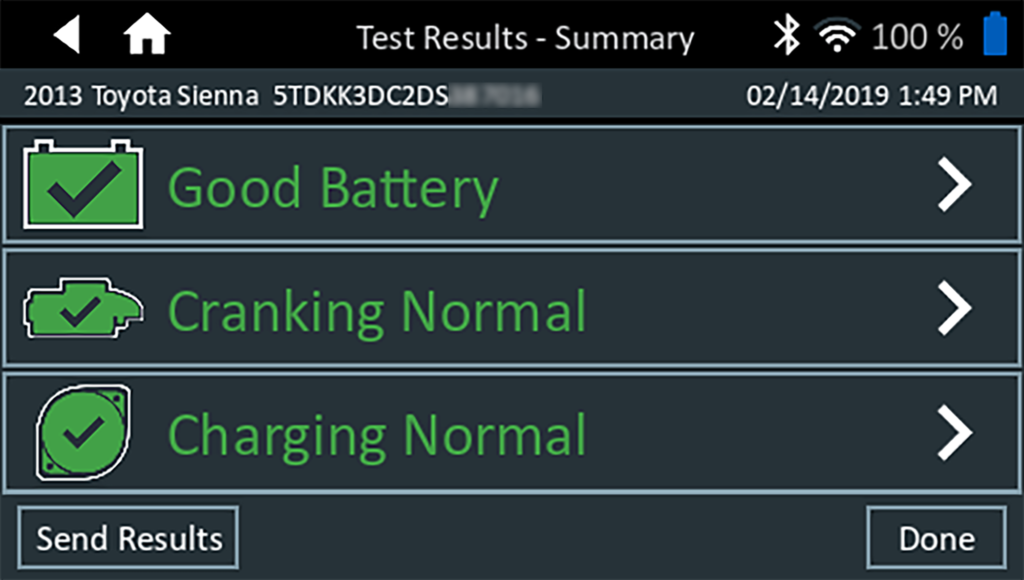
To send the test results to a configured printer or via email, tap Send Results. To return to the Home Screen, tap Done or the Home icon to return to the Main Menu.
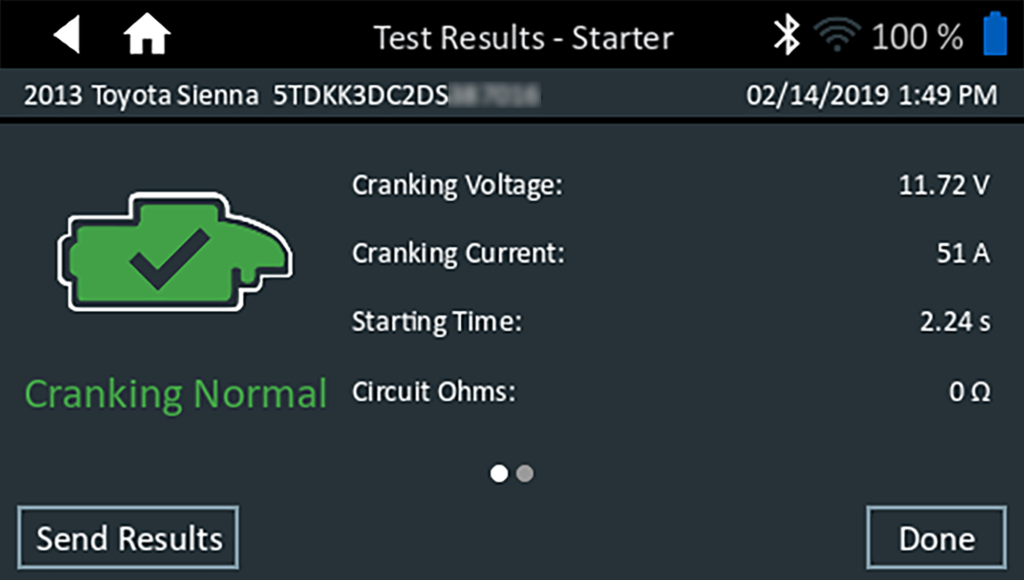
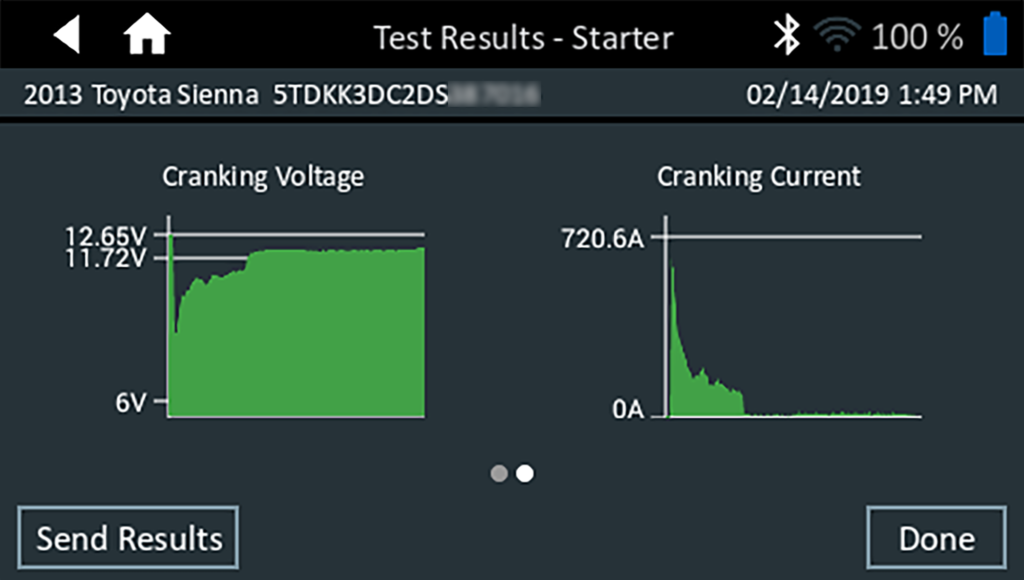
Starter Test Results

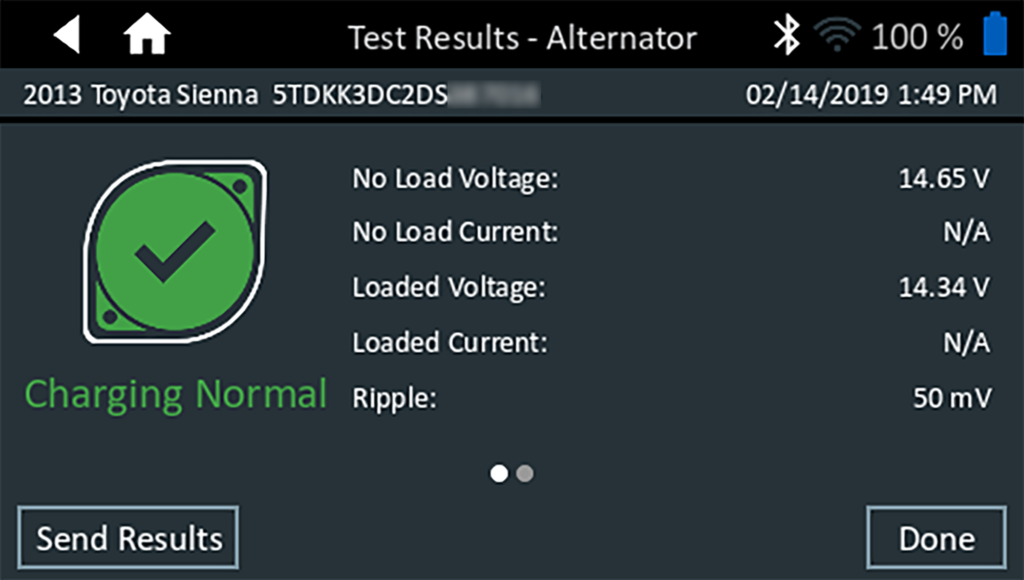
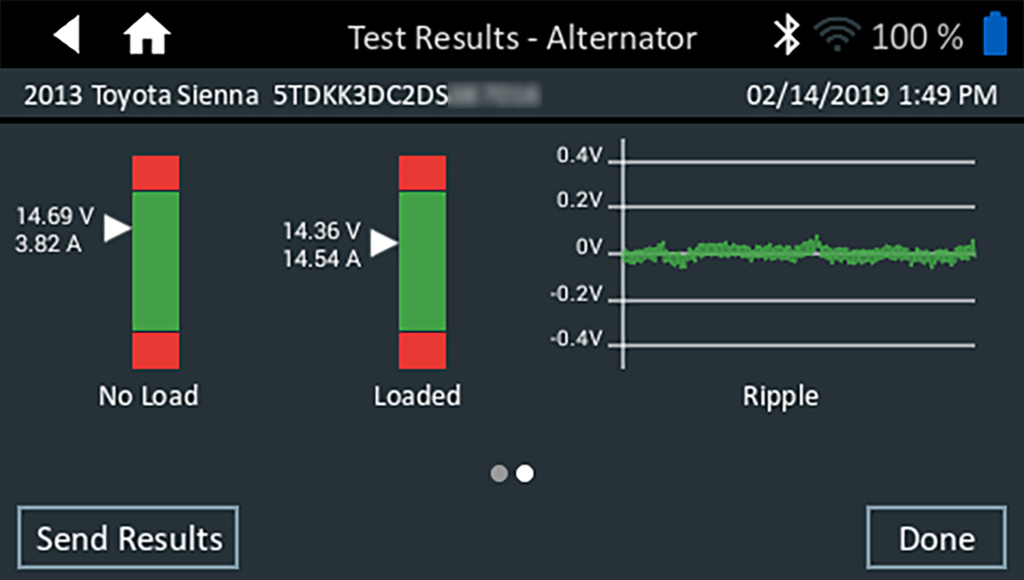
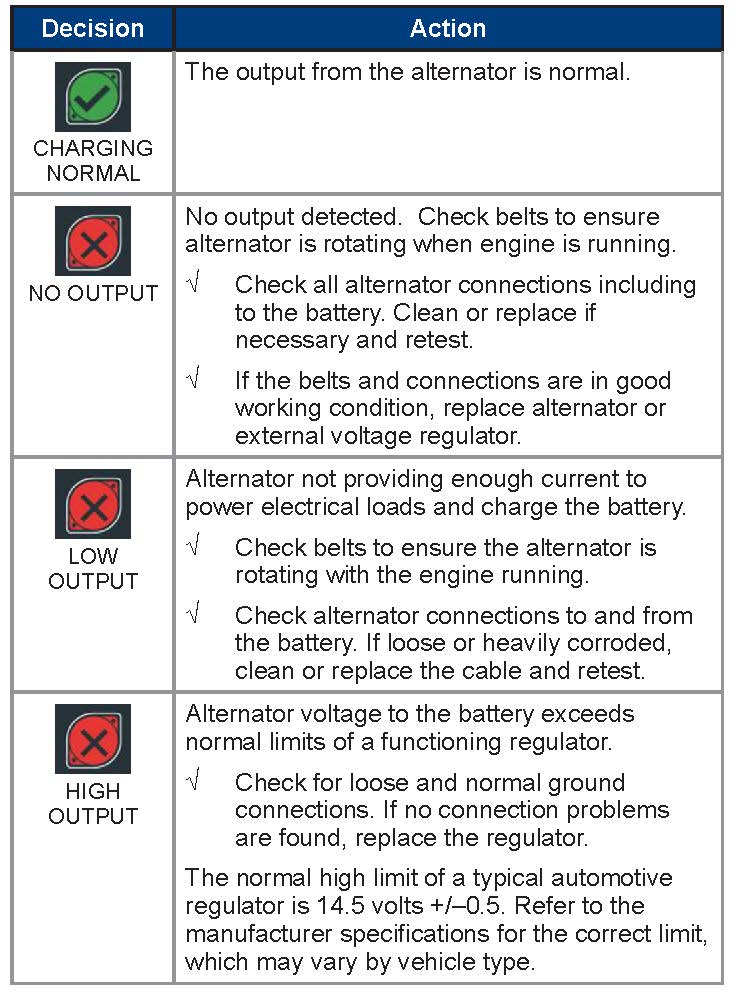
Alternator Test Results
Diode Test Results